
Protecting Your Digital Assets Pt. 5 — When Things Go Wrong

WORLD3
Account security with Matrix World, Part 5 — What if something goes wrong?
Sometimes even intelligent people will fall victim to new scams; if this is the case and you think you’ve connected to a dodgy website — what should you do?
In this article, and as the final article of our ‘Protecting Your Digital Assets’ series, we will look at what you should do when something goes wrong and some good practices.
For those who are new, Matrix World, created by Matrix Labs is the first multichain metaverse that allows users to own land on an option of blockchains. This option of blockchains, in conjunction with their plans for a friendly WYSIWYG editor, customizable object life cycles, gameplay, and entertainment, makes Matrix World an exciting choice.
There are two main types of ways your assets will be compromised. One way is giving someone access to your wallet via a private key or secret phrase. The other way is to permit them to transact what is in your wallet with permission. This ‘permission’ is what OpenSea uses to transact your sold items to the buyer — this makes things simple for the user.
Private Key vs. Secret Recovery Phrase
First, we must establish the difference between these two access points to your wallet. The private key is directly linked and provides access to only one account (address) in your wallet. You can have multiple accounts in your wallet, and the Secret Recovery Phrase will back up all of these accounts.
For example, If you have one account you wish to add to your wallet, you could use your private key. The private key is a string of characters as per the example image below (image 1).
If you wanted to import all of your accounts, say you were to get a new phone, computer, or hardware wallet. You can use your secret recovery phrase, which will import all your accounts simultaneously. The secret recovery phrase lists 12 or 24 random words separated by spaces. The image below is on the initial setup with the secret phrase behind the blurred section (image 2).
For more information please read: User Guide: Secret Recovery Phrase, password, and private keys by MetaMask
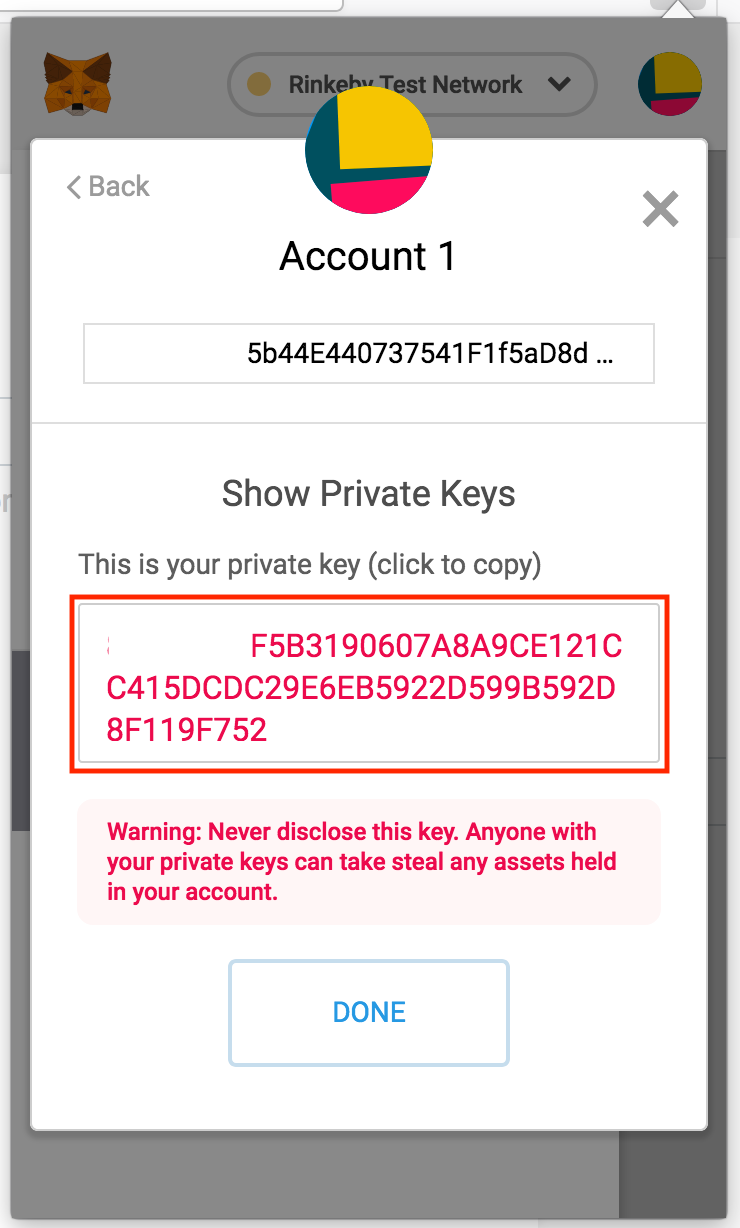
Image 1: Private Key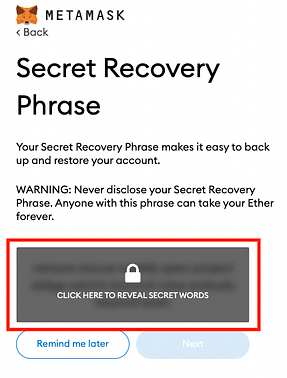
Image 2: Secret Recovery Phrase
What do you do if you start noticing missing items from your wallet?
First of all, it’s best to move items out of your wallet as soon as possible.
As discussed above, it does make a difference how they could get access to your account. If you provided the scammer with your Secret Recovery Phrase, you must create a new wallet. If you provide them with a Private Key, you can create a new account and transfer your items to another account inside your wallet (this is a quick process). Creating a new wallet with a new Secret Recovery Phrase is the best practice for peace of mind, but it will take longer.
What if you have connected to a site you think is suspicious?
Many websites will ask you to connect your wallet for various tasks like minting, ownership verification, and claiming staking rewards. While there are no issues with connecting to a website in most cases, you do want to make sure that the website is not acting maliciously and trying to access your tokens without permission.
Below is a picture of OpenSea requesting permission to access your token on that specific contract. By clicking on the Data tab we can see that the Function Type is “Set Approval For All” — this is expected by OpenSea, but not by a website you do not permit to transfer your NFT (image 3).
For a reference of what the function types do, you can access them here.
Unfortunately, if you are to confirm this transaction, even if you own a hardware wallet, there is not much you can do to save your tokens as you have given the contract permission to move your token.
If you suspect you have connected to a site with this or another malicious function and did not permit them to take your tokens, you can visit https://etherscan.io/tokenapprovalchecker and revoke that access to your account.
Whenever verifying ownership on a website or using a service like Collab.Land there should not be any transaction, and it should just be a “Signature Request” as shown in the image below (image 4).
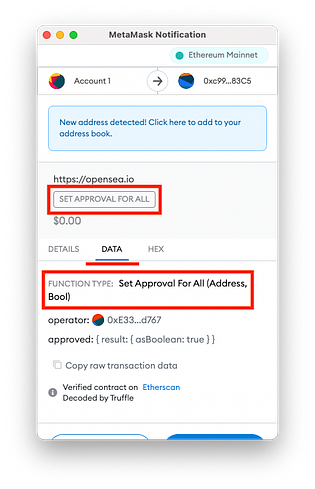
Image 3: Function Type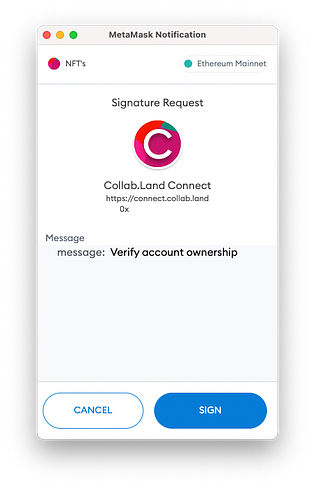
Image 4: Signature Request
Will a hardware wallet protect me?
As discussed in our last article, hardware wallets are a form of cold storage and provide an extra layer of security that will help mitigate some risks. The primary purpose of the hardware wallet is that it stores your private keys offline (when not connected to the internet) and reduces the risk of anyone making unauthorized transactions.
A hardware wallet will not protect you if you give an application or website permission to access your tokens. The same goes for someone having access to your Secret Recovery Phrase; a hardware wallet will not protect you.
How do you report stolen items?
If something of yours is stolen you can report this to OpenSea, and they can flag the item on their platform. Although, this does not stop the thief from selling on other platforms or transferring to another wallet. Please look over their stolen item policy for more information.
To finish this series, we wanted to share a video by Coin Bureau which goes over their ‘TOP Crypto Security TIPS!! DON’T Make These Mistakes!! 🔐’ covering general crypto security.
We hope these articles have helped you further your security knowledge and give you more confidence when interacting with the blockchain.
To learn more about Matrix World or get in contact, please visit the links below: