
Pioneer Build — Movement & Navigation

WORLD3
Learn the best ways to explore Matrix World.
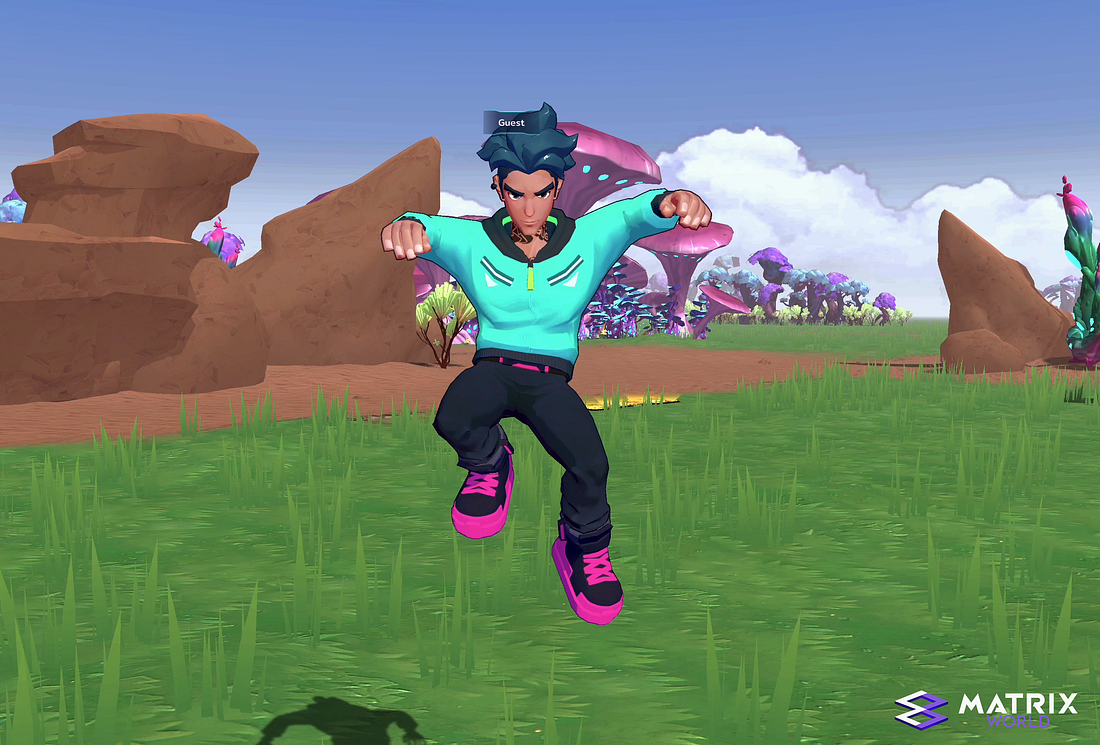
As our Pioneers embark on their journey within Matrix World, let’s take a moment to review the controls to ensure smooth navigation throughout the world.
This is part four of our Pioneer Build introductory series; in our last article, “Getting Started,” we looked at how to enter the world, start exploring, customize their details, and engage in conversation with other landowners!
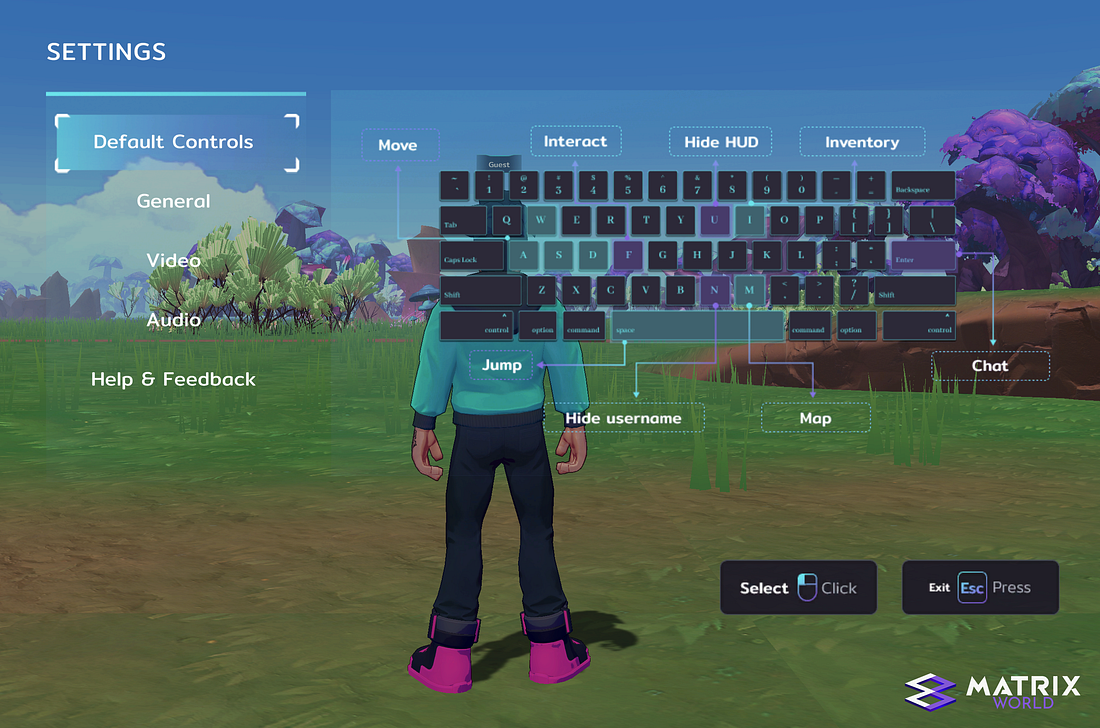
Movement
The controls within Matrix World should feel somewhat familiar if you have previous gaming experience, allowing for natural navigation throughout Matrix World without any difficulties. The control scheme adheres to the standard WASD movement configuration: W initiates forward movement, A initiates leftward movement, S initiates backward movement, and D initiates rightward movement.
Hold down the Shift key to accelerate your movement and change from a walk to a run. To jump, press the Spacebar.
There are two options for directing your avatar: one is by using the previously mentioned movement keys, and the other involves moving your mouse, with your avatar adjusting its direction to follow the movement of the mouse/camera — it will feel natural once you are in the world.
Right-click anywhere on the screen to disengage the camera tracking feature and regain control of your mouse for menu selections.
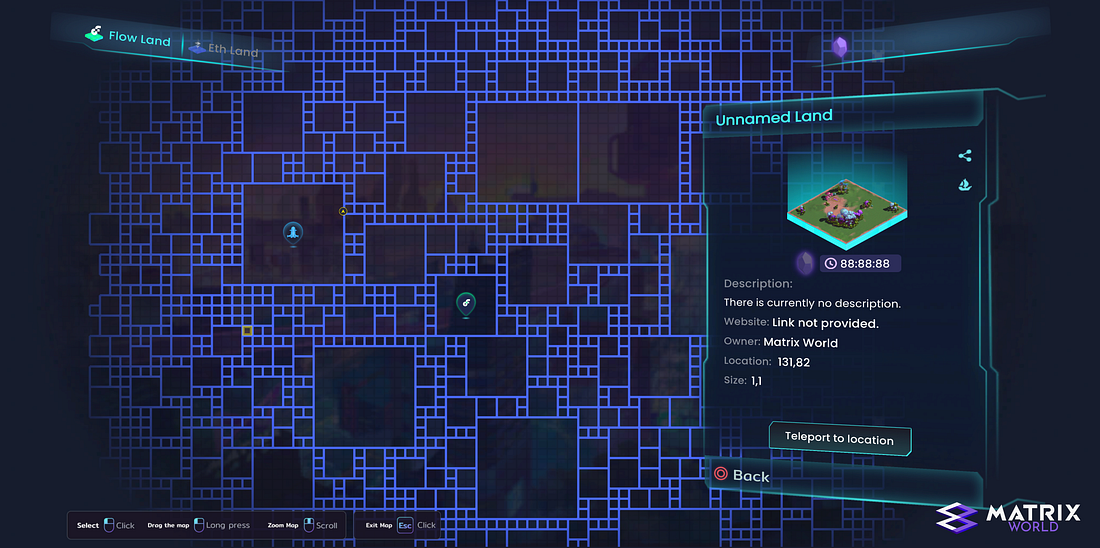
Matrix World Map
Navigation
At this stage of development, there are three methods for navigating throughout Matrix World. The first method involves moving on foot, either walking or running to your destination. The second method requires utilizing the teleport feature found within the map. The third method uses the share icon at the top right of the information card for a specific land plot; this will provide a direct URL and teleport the receiving user to that location.
To use the map teleport feature:
- Right-click to disengage your mouse from movement controls.
- Select the map icon located in the bottom-right corner of the screen.
- If you know the location of the land you wish to visit, click on the corresponding plot to display the details card. The selected plot on the map will be highlighted with a yellow boundary.
- Click on “Teleport to Location” to move to that location.
The map also includes useful features such as displaying key landmarks and indicating your avatar’s current location, represented by a yellow arrow icon.
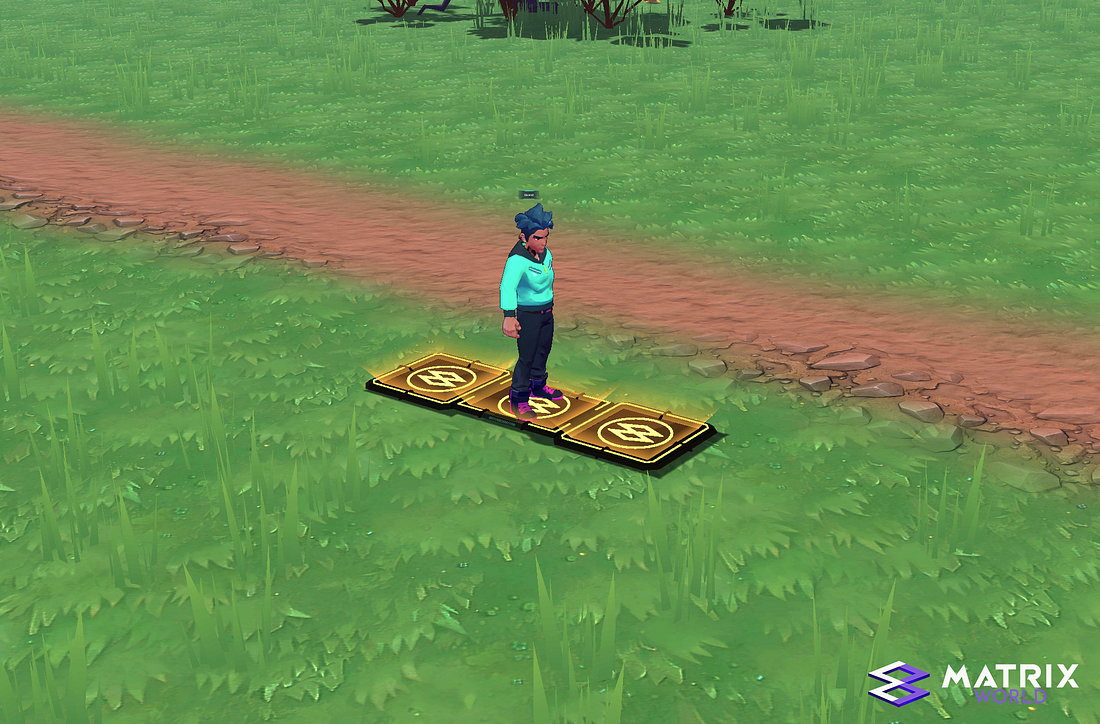
Spawn location
When teleporting within Matrix World, you will arrive at a golden spawn point within the chosen land plot. These spawn locations are conveniently positioned on the outer edge of each plot.
This marks the conclusion of our four-part Matrix World Pioneer Build introductory series. If you haven’t had the chance to review the previous articles, we invite you to head back to our homepage to access them.
We look forward to seeing you inside Matrix World!
About Matrix World
Matrix World, inaugurated in 2021 by its parent company Matrix Labs, stands as one of the first multichain metaverses of its kind. Matrix World was conceived with a focus on accessibility, therefore not confining developers and end-users to a single blockchain. Each parcel is powered by its unique computational capabilities and storage resources, giving users complete control over what is constructed and the lifecycle of the objects on their land. In February 2022, Matrix World successfully secured $5.5M from 17 investors during an angel-round funding at a $50M valuation, thereby strengthening the growth and development of the Matrix World project.
To learn more about Matrix World or get in contact, please visit the links below: