
How to claim $WAI for Lumens and PSP Season 1

WORLD3
To all Lumens and PSP Season 1 participants — thank you for being among the earliest supporters of WORLD3. Your participation helped shape the foundation of our ecosystem and made the $WAI journey possible.
Now, the time has come to claim your well-earned rewards. This post will guide you through checking your eligibility, claiming your $WAI, and understanding the vesting timeline for Lumens and PSP Season 1 rewards.
📊 Vesting Details
- Vesting Start: November 12, 2025 (UTC)
- Vesting End: August 12, 2026 (UTC)
- Total Allocation: 7.5% of the total $WAI supply (75,000,000 $WAI)
- Claim Availability: The Claim Portal is now open, and you can claim your reward at your convenience.
- The final claim deadline will be announced in a separate update.
The vesting is continuous — meaning your $WAI rewards unlock per second between the start and end date. This means that you can claim $WAI at any time without waiting for a specific release cycle.
During the TGE phase, you have received an initial allocation of 2.5% of $WAI. The remaining 7.5% of tokens will enter the Vesting phase, beginning linear unlocking at 09:00 (UTC) on November 12, 2025, and will be fully released on August 12, 2026 (UTC).
This vesting mechanism ensures that the reward release process is fair, transparent, and traceable. You can log in to the platform at any time through the BNB Chain wallet they used during TGE to view the unlocking progress in real time and claim the unlocked $WAI tokens.
🔍 Check Your Eligibility
Before claiming, please confirm that your wallet is eligible for the Lumens and PSP Season 1 $WAI rewards. Eligibility is determined strictly by the snapshot taken at the TGE.
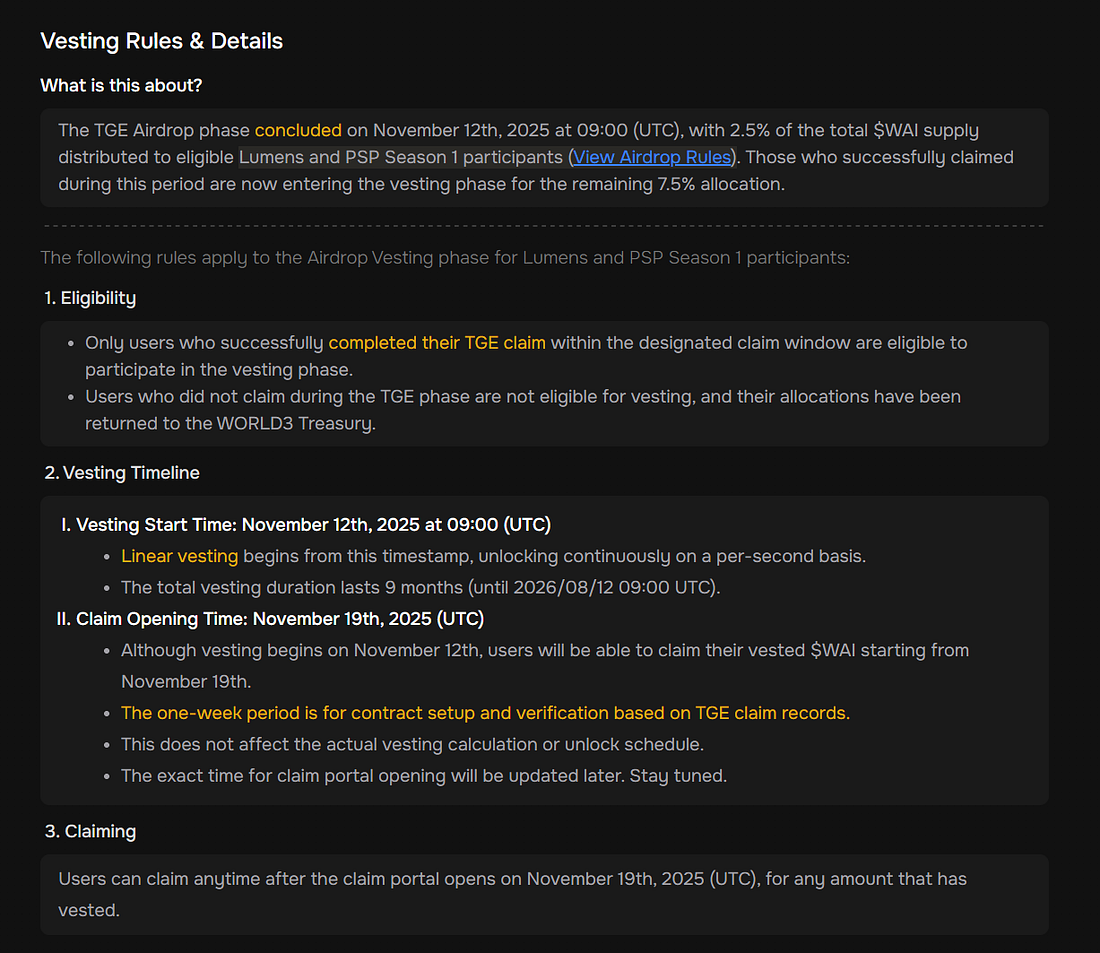
- TGE Snapshot Time: August 11th, 2025, at 00:00 UTC
- Requirements:
- Hold at least 100 Lumens or any amount of PSP Season 1 points at the TGE snapshot
- Lumens acquired after the TGE snapshot time do not count toward eligibility
- Successfully claimed the TGE airdrop before November 12, 2025 at 09:00 (UTC). - Chain: BNB Chain — ensure your wallet is connected and successfully verified
- Verification: Complete both email verification and wallet signature in the claim portal
⚠️ Important: If you do not meet the eligibility criteria above or fail to complete your claim before the deadline, you will permanently lose access to your Lumens and PSP Season 1 rewards. Unclaimed tokens will be automatically returned to the WORLD3 Treasury, and you will not be eligible for future vesting cycles or reward campaigns.
For more details, you can review the official final reminder post here:
👉 🚨 Final Call: Claim Your $WAI Rewards Before the Deadline
🎯 Ineligible Users
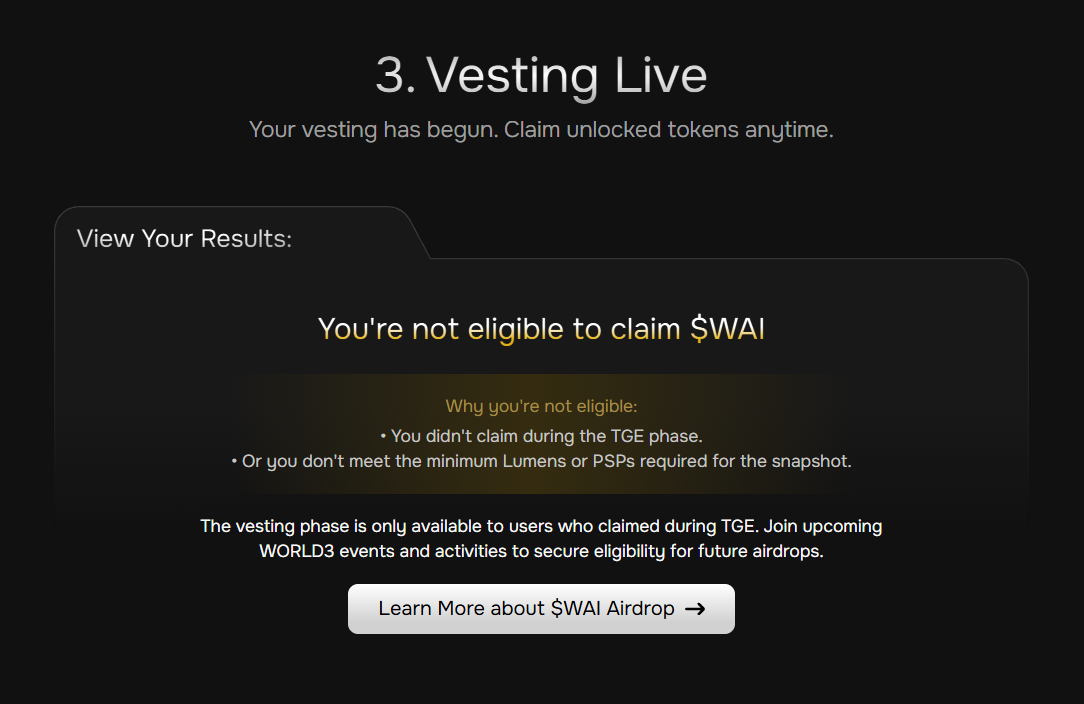
If you do not complete your claim during the TGE period, or do not meet the minimum snapshot requirements for Lumens & PSP Season 1, you will see the following page. Stay tuned for upcoming WORLD3 campaigns to earn eligibility for future $WAI airdrops!
💧 How to Claim
Once everything is verified, please follow these simple steps:
Step 1: Login and bind the wallet used in TGE.
- Click the “Sign in to Claim $WAI” button to login. If your WORLD3 account is already linked to the wallet address corresponding to the TGE Claim stage, the platform will automatically recognize your TGE address and display the unlocked balance.
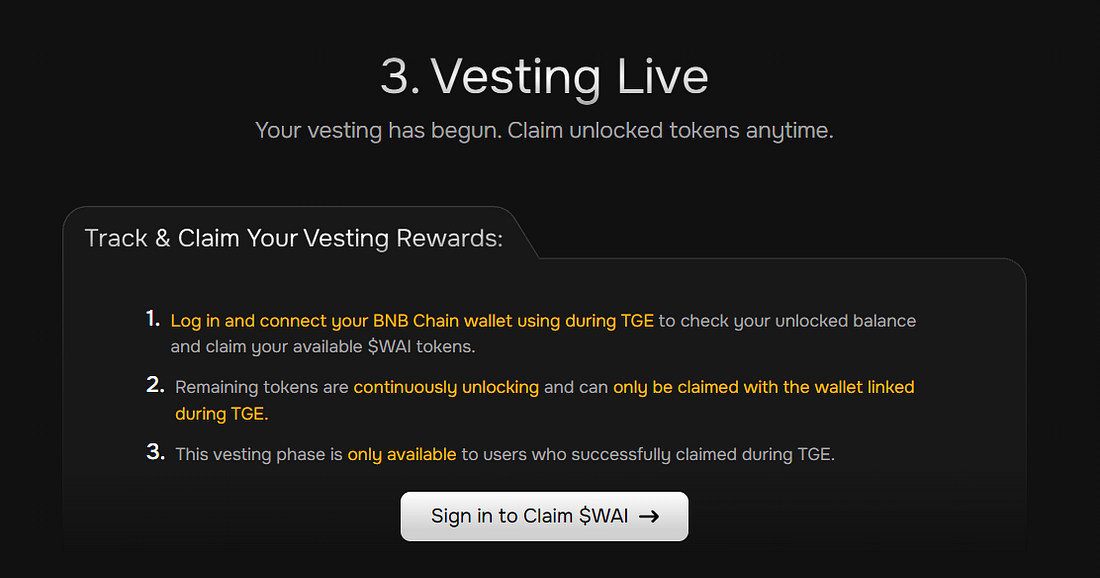
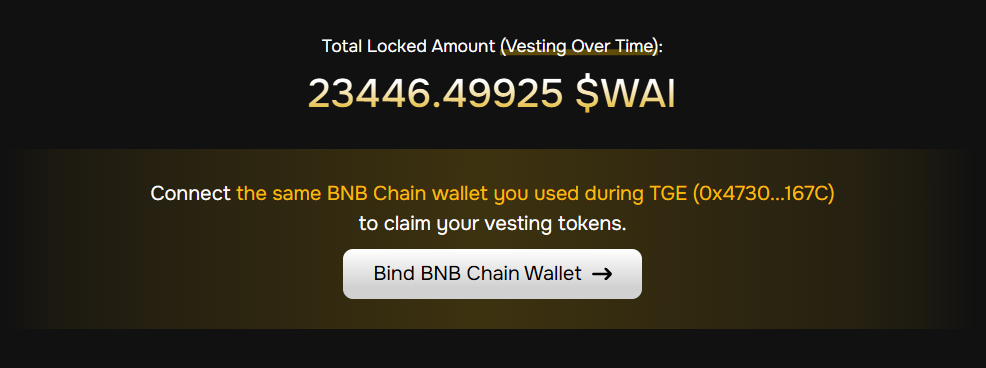
- If your WORLD3 account is not yet linked to a BNB Chain wallet, please click the “Bind BNB Chain Wallet” button to connect the same wallet address used to claim during TGE.
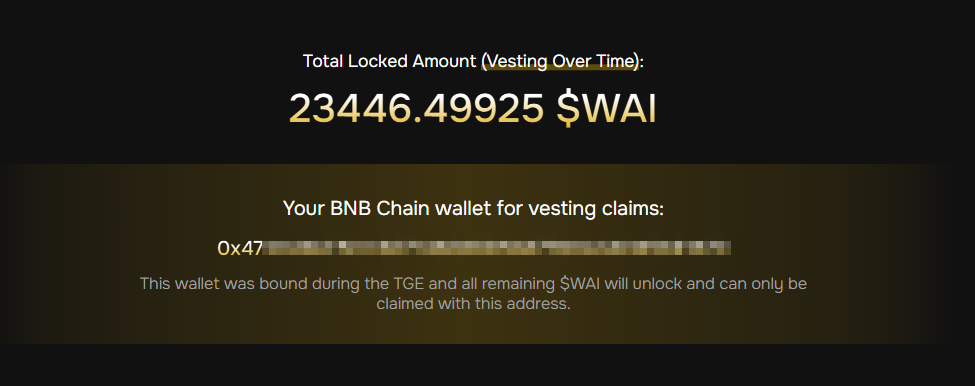
- After the correct binding is complete, you will see the following section.
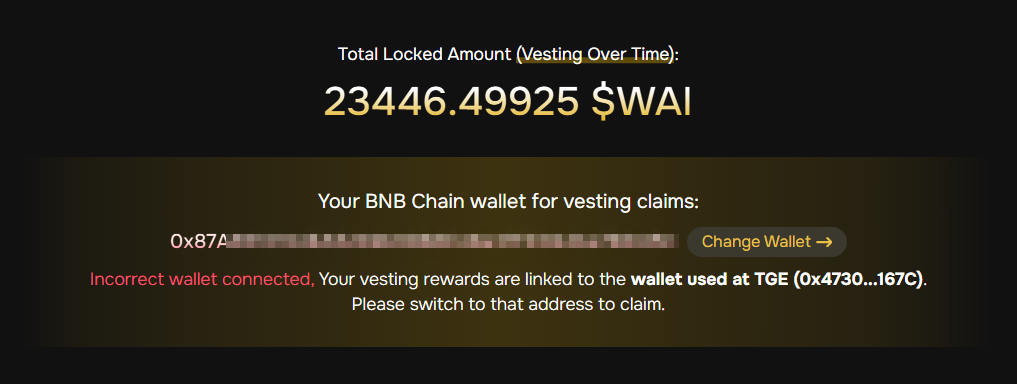
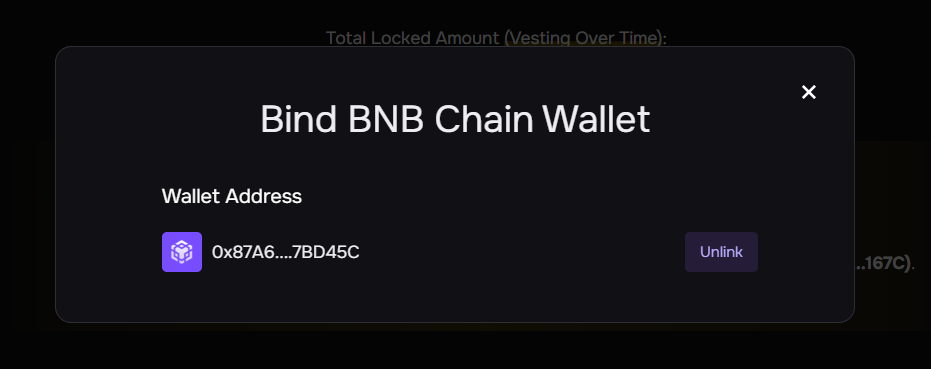
If the wallet address you linked is not the address claimed during the TGE phase, the following message will be displayed. And you can resolve this issue by clicking the “Change Wallet” button.
Step 2: Check the status
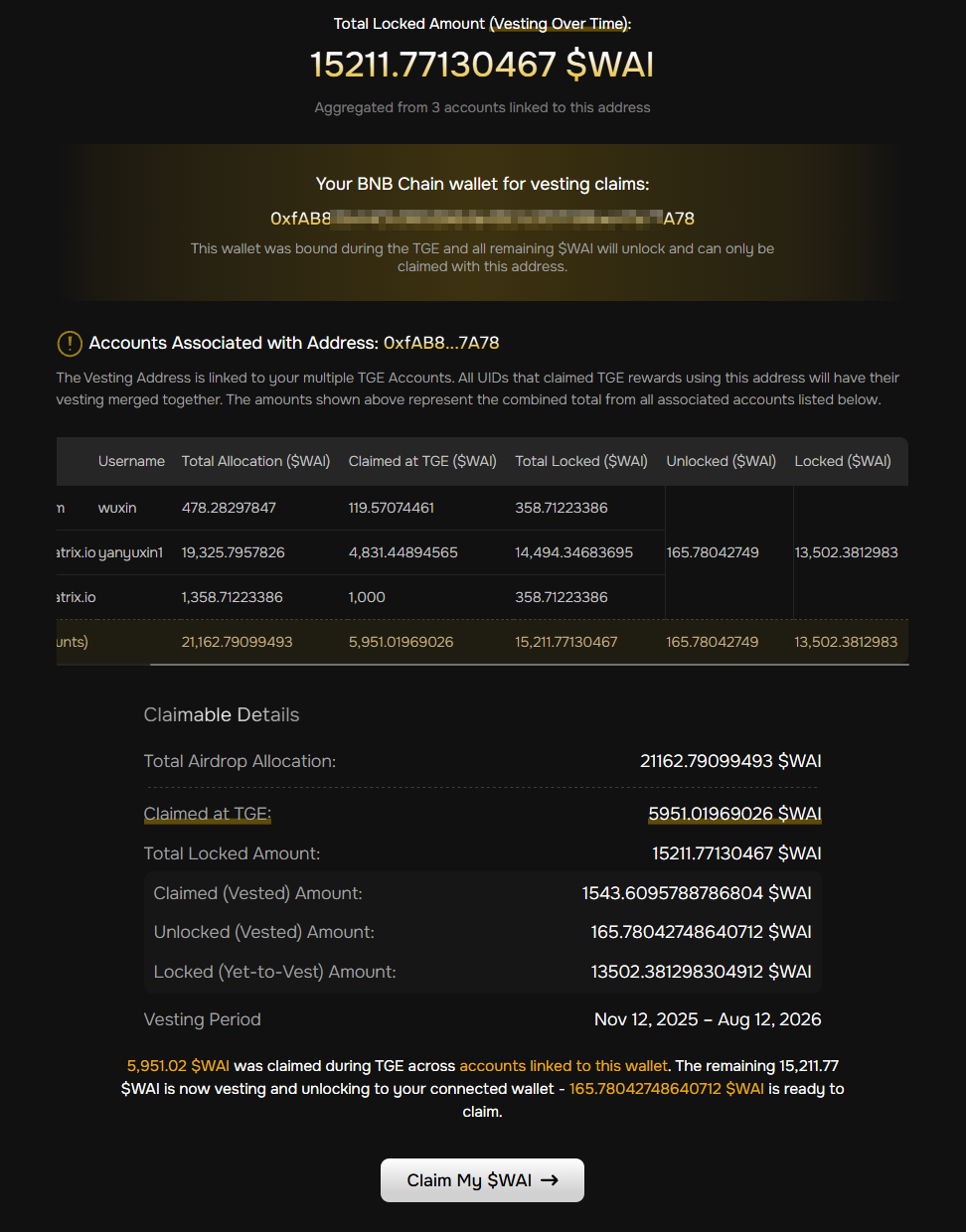
On the vesting page, you can see the following information:
- Total Airdrop Allocation
- Claimed at TGE
- Total Locked Amount(The number of Unlocked and Locked items changes every second, so you can check it in real time.)
- Claimed (Vested) Amount
- Unlocked (Vested) Amount
- Locked (Yet-to-Vest) Amount - Vesting Period
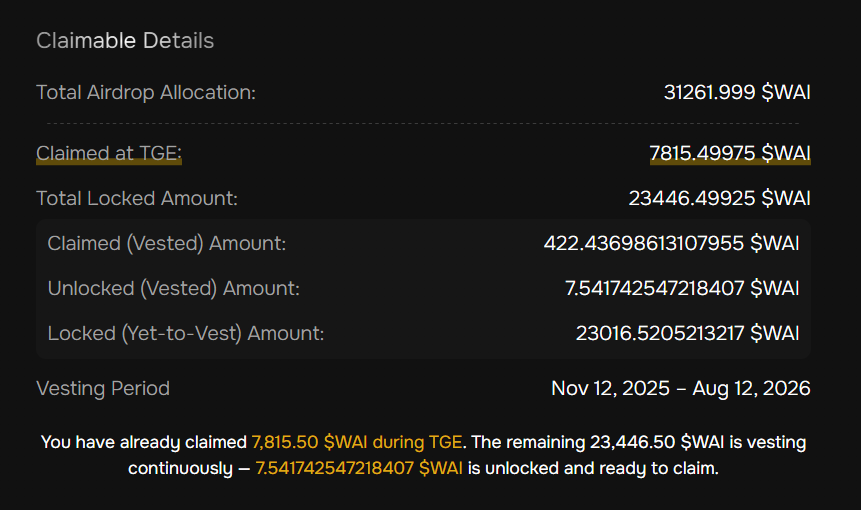
Step 3: Claim unlocked tokens
- Click the “Claim My $WAI” button to claim your reward. The system will calculate your current claimable amount in real time. The unlocking process is linear and continuous, claiming your reward will not affect subsequent calculations.
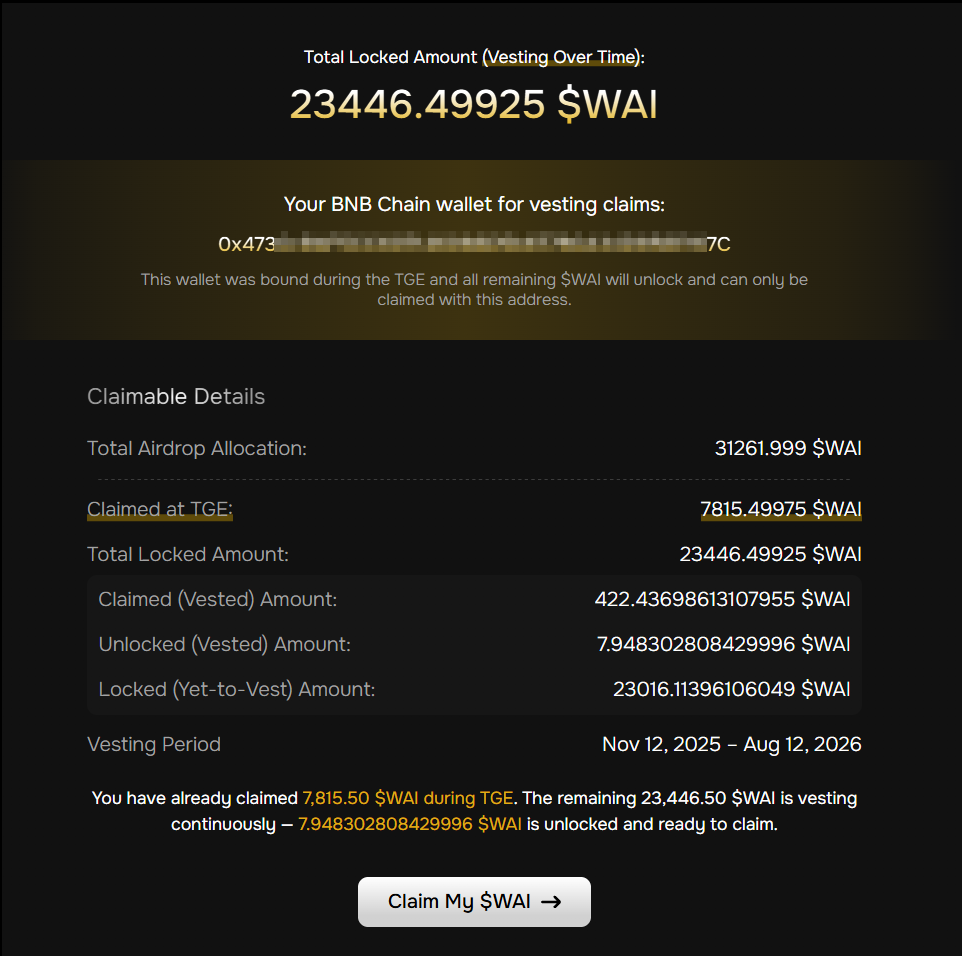
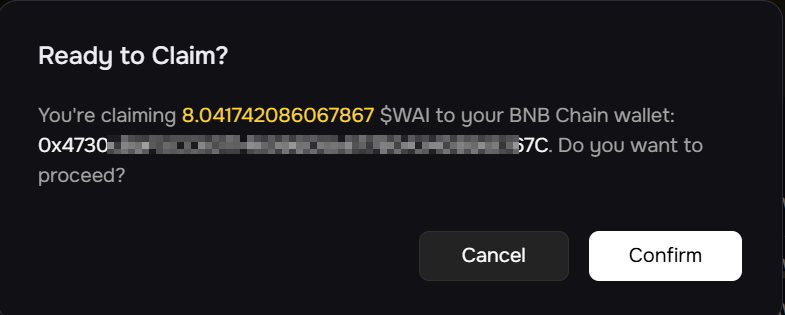
- Confirm the quantity to receive.
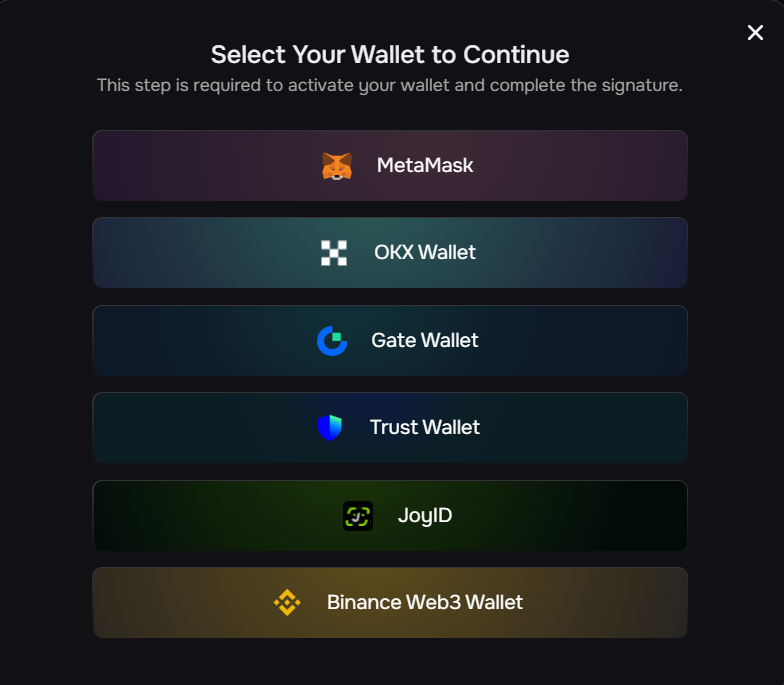
- Select the corresponding wallet address and sign.
- Please ensure your wallet has enough gas fee (BNB) for transaction, otherwise the claim will fail.
⚠️ Note: If you want to continue making claims in subsequent time periods, simply repeat these steps.
Step 4: Check your claim history
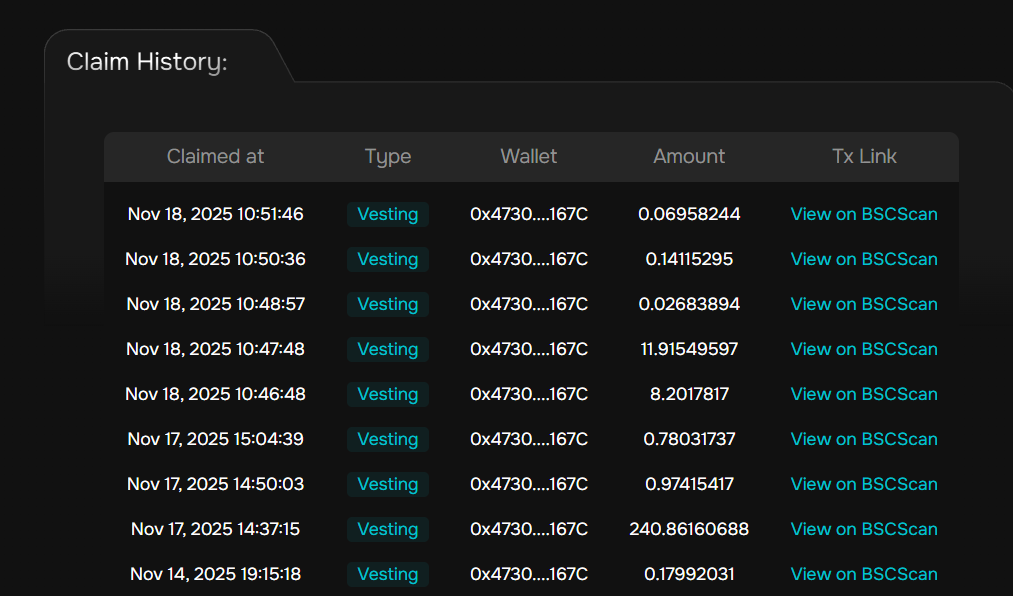
After completing the above steps, you can check your Claim History for the TGE and Vesting stages in the Claim History section.
- If you claim rewards from multiple accounts using the same wallet during the TGE phase, the system will automatically merge them.
- You can see the merged data for all linked accounts on this page. This includes email address, username, total allocation, total locked amount, and unlocked amount.
- The process of claiming the tokens is the same as the above steps in claiming unlocked tokens.
- You can check all the vesting and claim related records linked to this wallet address in Claim History section.
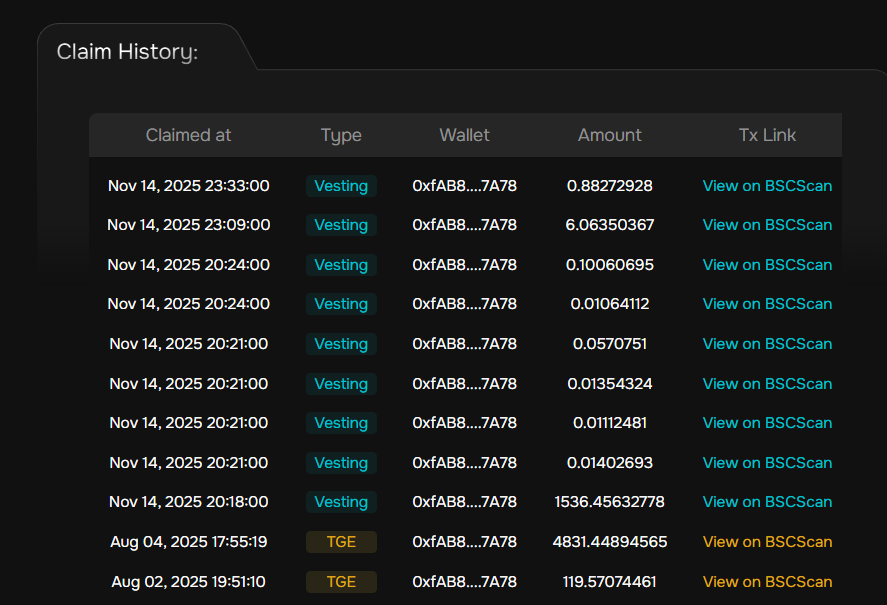
Your tokens will continue to unlock linearly over time, and you can claim them anytime once they become available.
⚠️ Note: The vesting process started on Nov 12, 2025, and will end on Aug 12, 2026 (UTC). Any unclaimed tokens remaining after the final claim deadline (to be announced later) will be returned to the WORLD3 Treasury.
Thank you again to all Lumens and PSP Season 1 holders for your trust and contribution. Your participation continues to shape the evolution of the WORLD3 ecosystem — where AI Agents and you build the future together.
If you have any questions, please click “Contact Support” on the page for assistance. We will process your request as soon as possible.
👉 Follow WORLD3 on X for updates and future campaign announcements.
👉 Join the WORLD3 Discord Community for real-time support and discussions.
👉 Visit world3.ai to explore the AI Agent ecosystem.